 MacLens
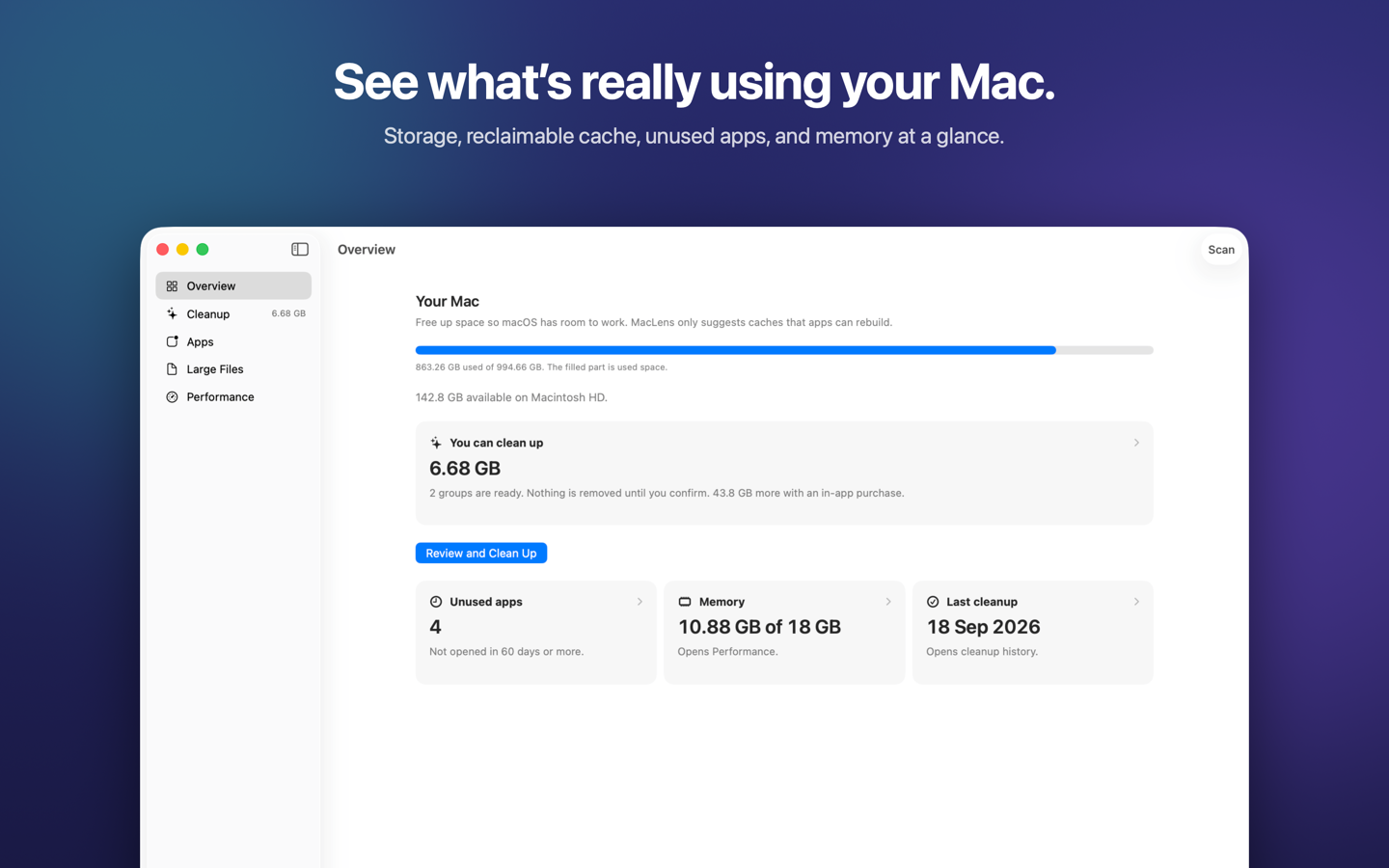
Storage overview
Used and available space, how much cache can be cleaned, unused apps, memory, and your last cleanup.
MacLens measures storage, then clears caches that apps can rebuild. You review every item. Nothing is removed until you confirm, and scans stay on your Mac.
Coming to the Mac App Store. Requires macOS 14 or later.
The same screens you get in the app. Paid features are labeled as in-app purchases.
Used and available space, how much cache can be cleaned, unused apps, memory, and your last cleanup.
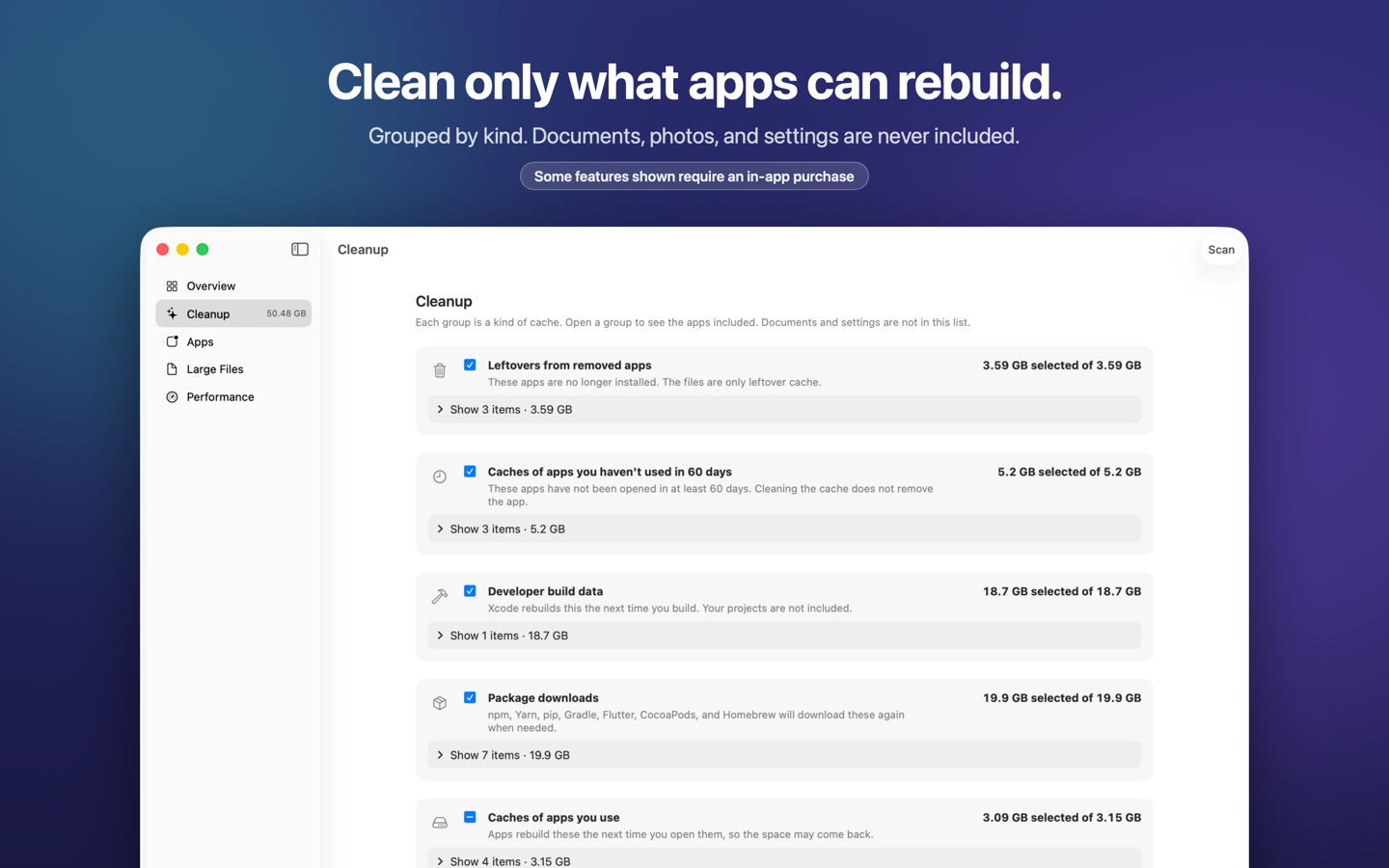
Groups leftovers, caches of apps you use, developer build data, and package downloads. Documents, photos, and settings are not included.
Choose a folder such as Downloads or Movies. A large file is not junk. Selected files go to the Trash, so you can put them back.
Apps you have not opened in 60 days, with size and last-opened date. Move them to the Trash, or clean only their cache.
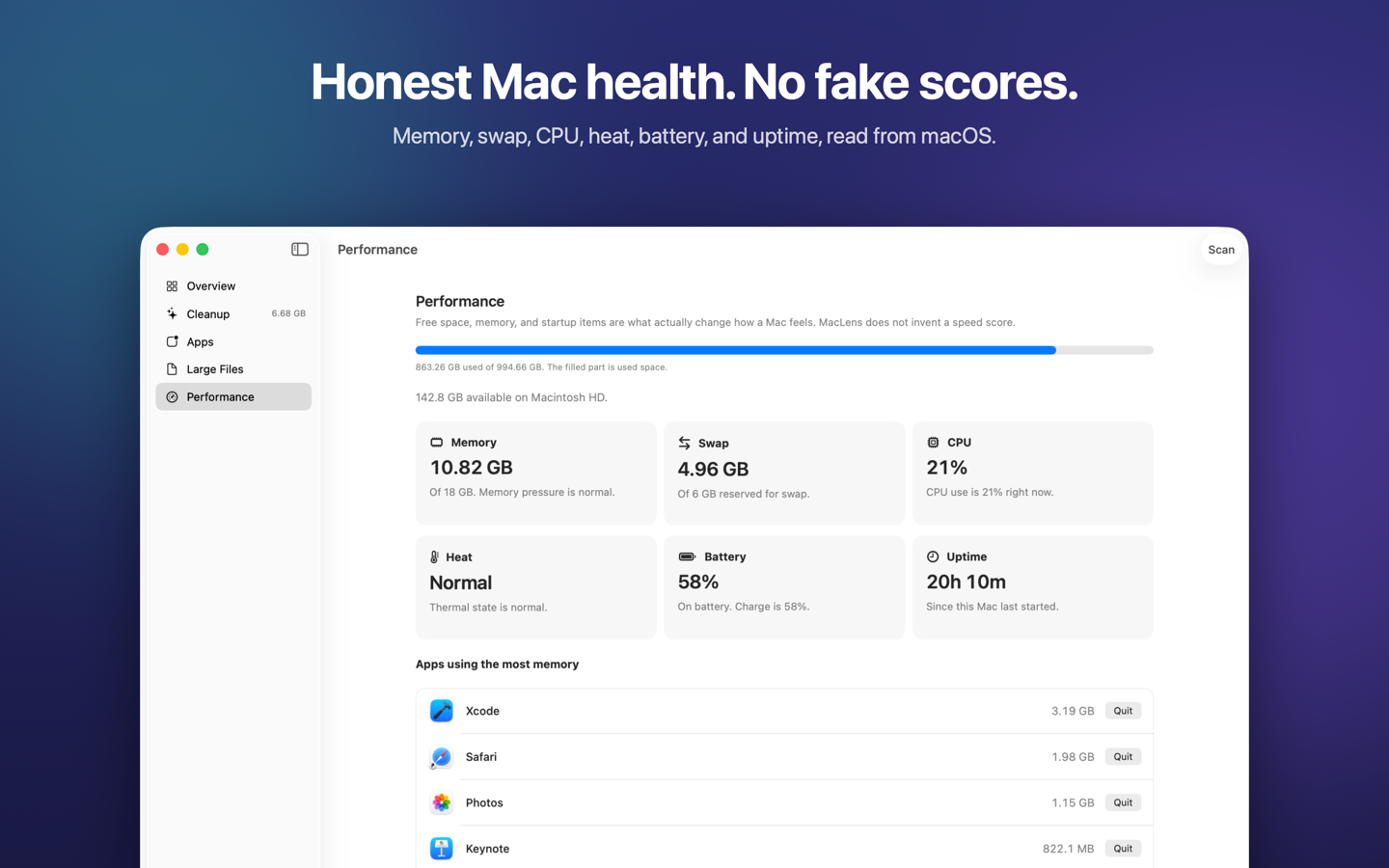
Memory, swap, CPU, heat, battery, and uptime, read from macOS. MacLens does not invent a faster-Mac percentage.
See the size of Docker data, simulator devices, the Android SDK, and local models. Those are shown only. MacLens does not delete them.
No subscription. Developer Pack includes Advanced Cleanup. Prices are the United States App Store prices; other countries use Apple’s matching tier.
Storage overview, leftover caches, caches of apps you use, large files, unused apps, Mac health, and developer storage totals.
There is no MacLens account and no MacLens server for scans. File names and folder sizes are not uploaded. MacLens reads only the folders you allow, and it explains why before macOS asks. Purchases are handled by Apple.